Coding on an e-ink monitor
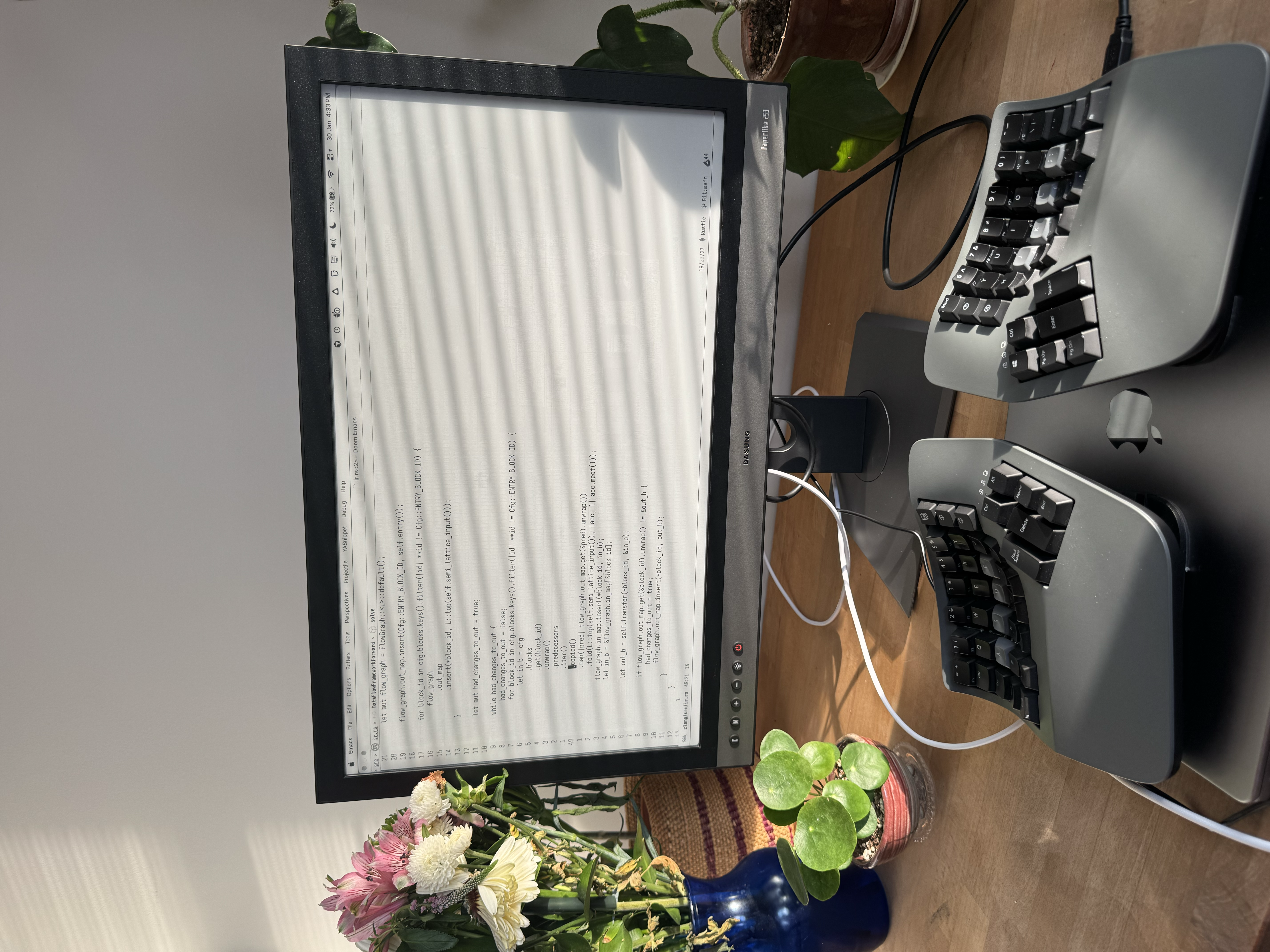
My main display has been a black-and-white 30hz e-ink monitor the past 6 months. Why?
I’m a programmer so I spend all day looking at a screen. Numerous studies link eye strain to reduced performance and productivity, and it has personally caused me headaches in the past. So reducing eye strain seems worth it to me.
Also, in the age of AI, I spend way more time reading code. LLMs generate massive amounts of plausible-looking but often subtly-wrong code, requiring me to be even more discerning in reading it.
E-ink solves both problems for me.
It eliminates all my eye strain, and I find the fact that having a low-refresh B/W screen that’s easier to look at seems to reduce visual noise / stimulation and help me read text more intently and with less distractions.
I also just find the screen more comfortable to look at, which seems to result in me getting more hours of productivity.
This is not a common setup, but I think more people should consider it, especially if they experience eye strain.
Quick note on eye strainλ
I used to get random headaches while writing code. At first I thought it was sleep, or hydration, or TMJ pain from clenching my jaw. It turned out to be eye strain.There are strategies like the 20/20/20 rule to avoid eye-strain, but I never could actually stick to it. It’s very flow breaking to stare off into the distance every 20 minutes while working.
The only real solution was to get an e-ink monitor. I would go from being able to look at my screen for max 4 hours at once, to 12 hours of continuous screen time with absolutely no headaches.
What about syntax highlighting?λ
Whenever I tell people I use an e-ink monitor, one of the first questions they ask is how I write code without syntax highlighting.I actually do have syntax highlighting, but a more rudimentary form which just uses bold, italics, and underlining to accentuate syntax.
I find this to be all that I need. After going to black and white, I realized how much visual noise colors added and how distracting they were.
For example, this is Rust code being syntax highlighted with a very popular color scheme (Tokyo Night):
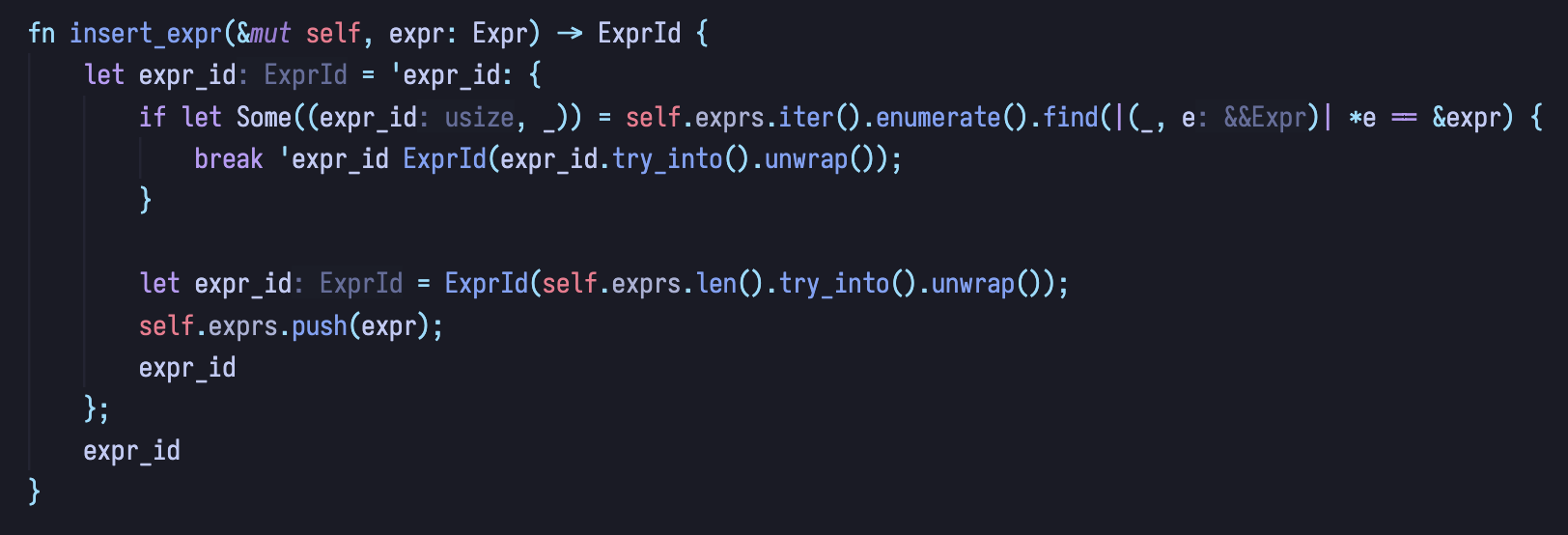
Our eyes are pulled towards strong colors. So why are
special tokens like &, (, ), or even self being highlighted with the strongest
colors? Does my attention really need to be pulled there?
Where my attention needs to be pulled towards is highly dependent on what I’m actually thinking, so 90% of syntax highlighting is useless and just noise.
For that reason, I’ve actually switched my color schemes to always be greyscale, even when I’m using my MacBook monitor.
Why about the low refresh rate?λ
E-ink displays are notorious for having very low refresh rates. Luckily, the monitor I use, the Dasung Paperlike 253, has a 33HZ refresh rate which is actually extremely fast for an e-ink monitor, but obviously on the lower end for conventional monitors.But if I’m writing code, 90% of the frames drawn on my screen are going to be comprised of text which does not move around much. I don’t really need to see my cursor move a couple inches across the screen in 120FPS.
Personally, I tend to experience less discomfort on a lower refresh rate (which is why my MacBook’s refresh rate is capped to 48hz), but not one that is too low (any lower than 30hz is a bit disorienting for me).
The one drawback is that higher refresh rates can result in more ghosting.
What about ghosting?λ
Each “pixel” on an e-ink monitor is actually a tiny capsule of viscous liquid and black beads. An electromagnetic field can be applied to the capsule to surface a certain amount of black beads, allowing it to display colors from white -> black.But the beads might not move fast enough to change the capsule to the precise color it was intended to be. This causes afterimages of previous frames or “ghosting”:
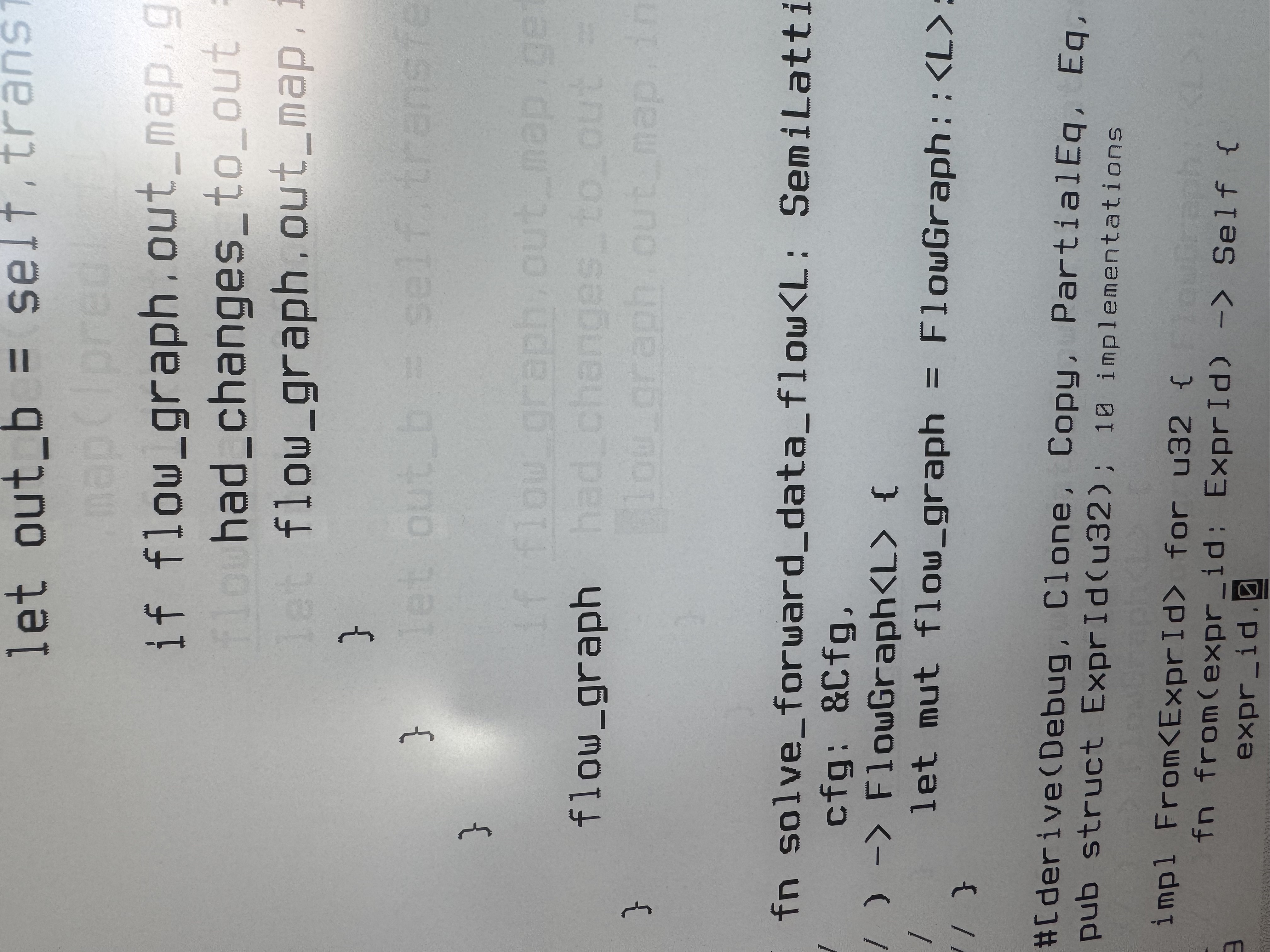
Ghosting can be quite annoying and depending on certain variables (font-size, how much ghosting there is on the screen) it can actually cause me additional eye strain.
In the picture above, the ghosting is faint enough to not bother me, but sometimes I manually have to clear the screen (flash the screen with black to reset the capsules).
I would say this is the main drawback of e-ink right now.
Notes on the Dasung Paperlike 253λ
This monitor is on the pricey side at around $1.5k USD. If you really care about e-ink or reducing eye strain, it’s worth trying to see if it helps.On MacOS there are a couple UX pain points:
-
you need to run the “PaperLikeClient” to connect the screen, it is dodgy at times
-
you need to connect a USB-C and USB-B cable to your computer (one is for the display, the other is for the client to talk to the monitor)
Final wordsλ
Consider getting an e-ink monitor if you experience eye strain or if you are just interested in the technology or trying something new.You don’t need an e-ink monitor to reduce visual noise / stimulation and read text more intently and without distractions. Before switching to an e-ink monitor, I used BetterDisplay to cap my refresh rate and go black and white.